A card lands in TeamsWhat happened, and the details that matter.
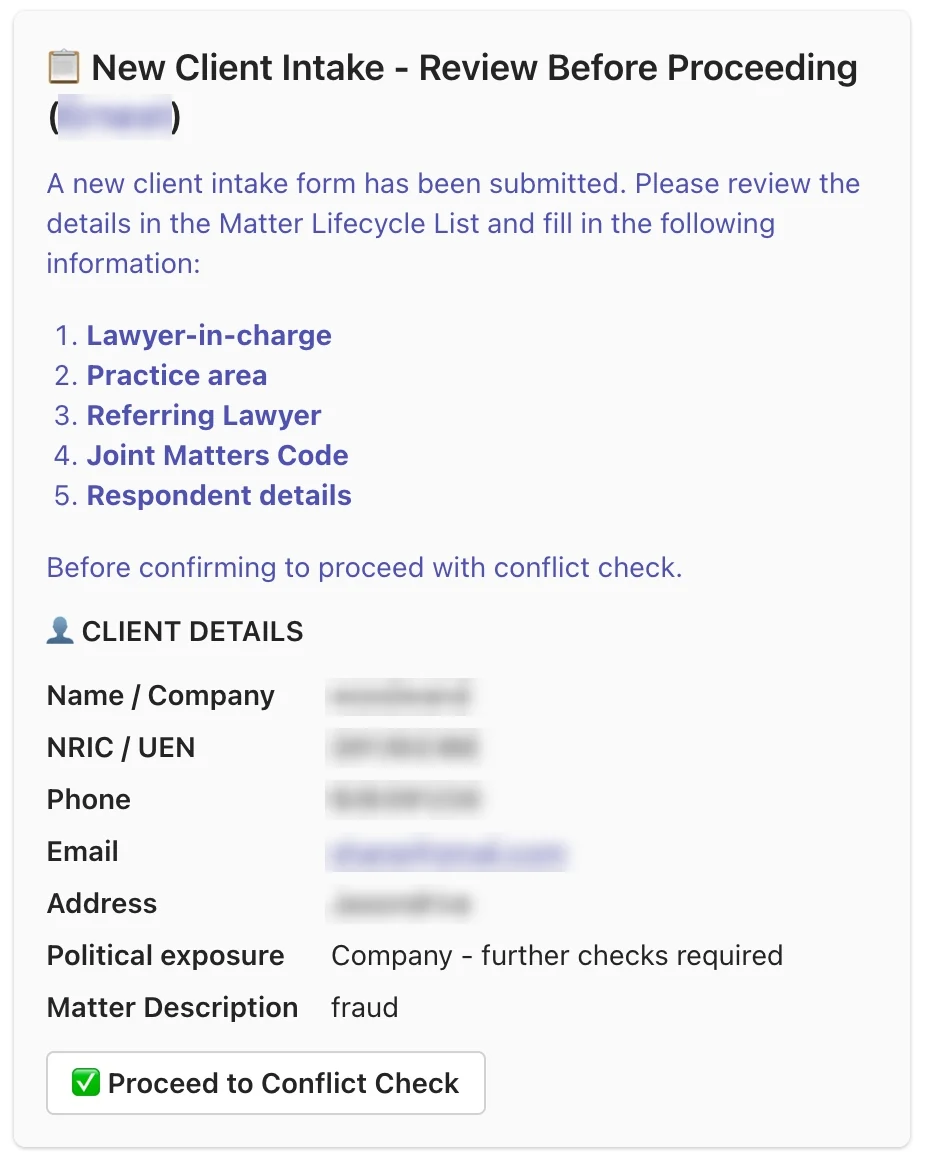
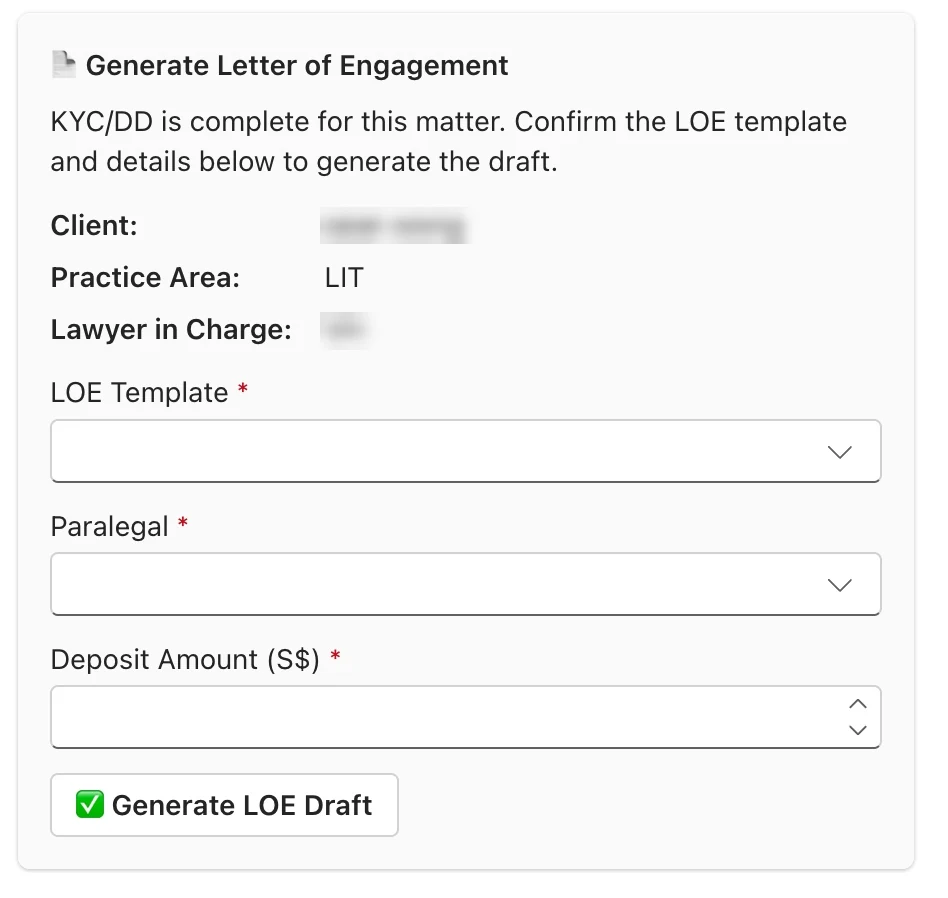
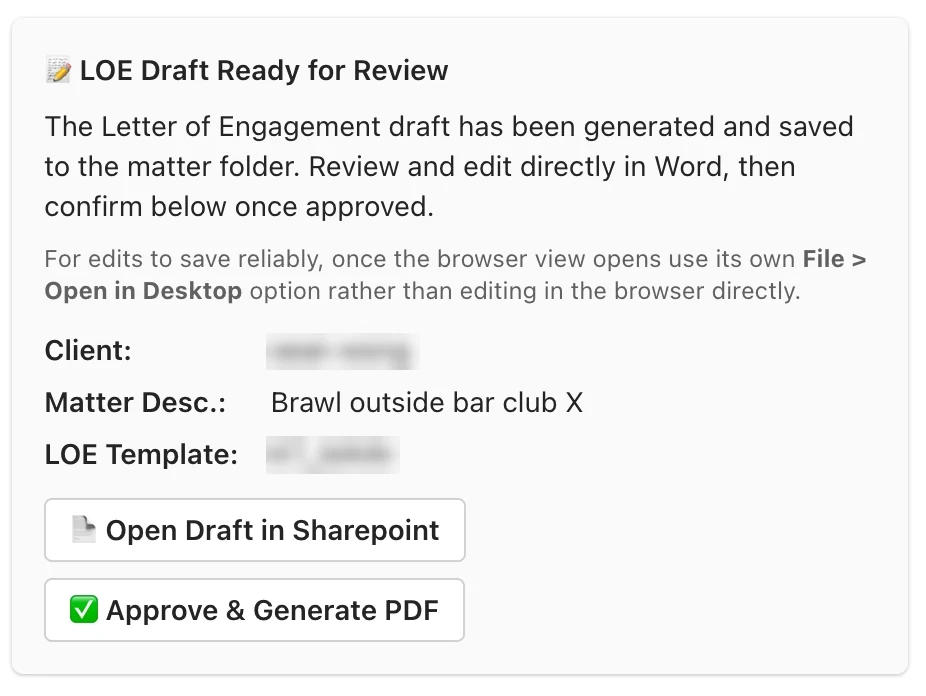
A person reviews and clicksApproval happens where the team already works.
The next step runsLookups, drafting and filing happen automatically.
1 Notarial & ad-hoc services
Walk-in to invoice, in the client's inbox
BeforePaper receipt, nothing in Clio→AfterOne capture: invoice, email, on record
Capture the serviceClient, service and fee
Invoice from templateFills the firm's template
Emailed to clientSent automatically
On recordA digital trail, not a paper stub
Illustrative
Quick capture
Client
Sample Client Pte Ltd
Email
accounts@example.com
Service
Notarisation — document verification
Fee (SGD)
80.00
Create invoice
→
Illustrative
Invoice & email
Invoice
INV-0001 (sample)
Item
Notarisation — document verification
Amount
S$80.00
To: accounts@example.com Subject: Your invoice from the firm Invoice attached as PDF.
Illustrative example with fictional data — not a screenshot of the firm's system.
2 Legal services intake
From intake to an approved engagement letter
BeforeManual name searches · est. 20–30 min per client→AfterOne guided sequence, people confirm the key steps
Intake formDetails captured once
Review detailsMatter details confirmed
Conflict checkRuns on approval
KYC / DDScreening back to the team
Engagement letterTemplate, paralegal, deposit
Approve & fileReview, approve, PDF, file created
1 · Review before proceeding2 · Generate the letter3 · Review & approve
Screenshots are from a test environment with dummy client data. Purple = a person approves.
3 Fees & expenses
Fees and expenses into Clio, without re-typing
BeforeRe-keyed by hand · est. 10–12 hrs a month→AfterEntered from the source, bills one click away
Route A · Email-triggered
Email receivedA fee or expense, by email
Entered in ClioAgainst the right matter
Route B · Batch
Spreadsheet tabMany fees and expenses
Logged to ClioEvery row to its matter
Both routes finish here
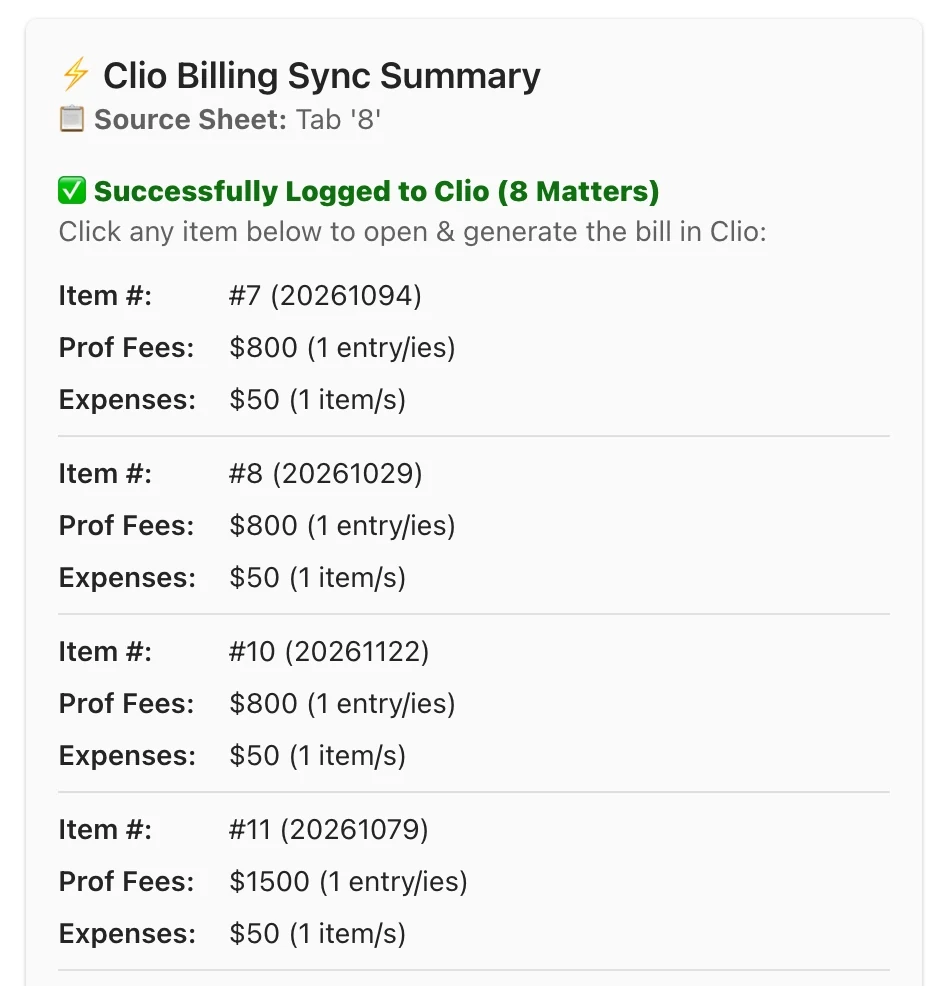
Summary in TeamsFees and expenses per matter
Generate the billOpens the matter in Clio
Illustrative
Route A · Email received
Subject
Fees & expenses — Matter 2026-0142 (sample)
Fees
1.5 hrs — hearing preparation
Expense
Courier — S$18.00
↓
Illustrative
Logged to Clio
Matter
2026-0142 (sample)
Time entry
1.5 hrs
Expense
S$18.00
Open the matter in Clio to generate the bill.
Route A illustrated with fictional data.
Route B · Batch summary. Each item opens Clio to generate the bill. Test environment, dummy data.
Data security
Built to keep client data in the firm's hands
Law firms hold privileged and personal information, so how automation is built matters as much as what it does.
No new places for client data
Everything runs inside tools the firm already used, such as Teams and Clio. No new third-party service receives client data.
The firm stays in control
The automation sits inside the firm's own environment, so the firm's IT administrator keeps control of the systems involved.
People approve, Teams records
Key steps need a person's approval, and each step is posted as a message in Teams — a visible record of what happened and when.
Only dummy data in demos
The screenshots on this page come from a test environment with dummy data, and identifying details are blurred.
The difference
What changed for the firm
One guided onboarding path
Intake, checks, letter and file follow each other — no separate lookups or copy-pasting.
Small services leave a record
Notary and ad-hoc work is captured and invoiced from a template, not a paper stub.
Billing isn't re-typed
Fees and expenses go from source to Clio, so fewer errors and less month-end scramble.
Every engagement starts by baselining the current workflow, so the change can be measured after go-live.
Got a workflow like this?
We build around the tools your team already uses. Tell us where the re-typing happens and we'll show you what a few short, approved steps could replace.